MaxIron Nova
Capture inspection and calibration work with both hands free
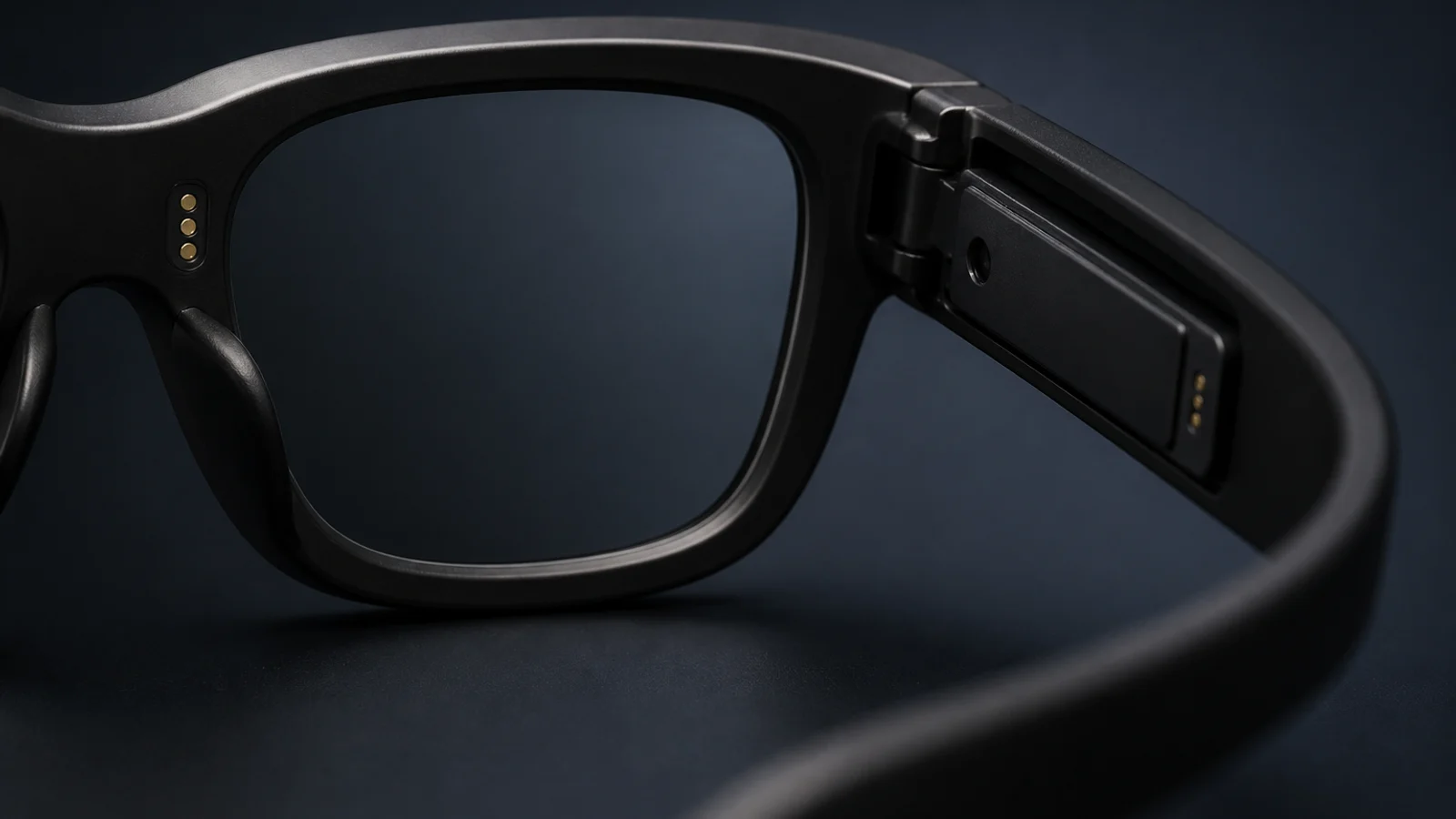
Nova puts the work order, proposed reading and next calibration point on a glasses HUD. A smart ring or band controls each decision, and the technician confirms every value before Nova writes it to Maximo.
Meter reading
4.27bar
Choose by need
Nova and Mobile support different parts of the field job
Nova is hands-free capture and control. MaxIron Mobile is the field job on the phone, including the schedule, work details and wider record.
Keep both hands on an inspection or calibration
MaxIron NovaA glasses HUD presents the task. A ring or band controls capture, navigation and confirmation.
Run the field job from a phone
MaxIron MobileThe technician works through the schedule, work details, status and supporting records on the phone.
Three capabilities
Less handling around each reading, with the decision kept visible
Keep the task in view
The glasses HUD shows the work order, next instruction, proposed reading and calibration point in the technician's line of sight.
Control the work with full hands
A smart ring or smart band handles accept, retake, reject, next and back. The display is the interface. Voice is optional, and no earpiece is required.
Protect the Maximo record
Nova proposes a reading or calibration value. The technician confirms it before Nova writes it to the correct Maximo work order and point.
Product view
The proposed value and its work order stay together
Nova recognises the instrument reading and presents it on the lens. The technician accepts it, requests a retake or rejects it from the ring or band. Confirmation is the boundary before the Maximo write.
Inspection reading awaiting technician confirmation
Meter reading
84.7 Celsius
Work order 58291
Representative acceptance case
One inspection or calibration round
The demonstration uses representative instrument faces and a test Maximo work order to prove the capture and confirmation boundary.
This is a qualification demonstration against representative work, not a named customer result. Anonymised customer engagements and reference conversations under NDA sit in the case studies.
What we walk through
- Present the work order, instruction and proposed value on the glasses HUD.
- Use a smart ring or band for navigation, retakes and confirmation while handling the instrument.
- Return only the technician-confirmed reading or calibration value to the test Maximo record.
Pass condition
Pass when an unconfirmed value cannot reach Maximo and the confirmed value reaches the correct work order without a separate transcription step.
Evidence retained: HUD state, control action, confirmation event and the resulting Maximo work-order record.
Boundary that remains: Nova does not write to Maximo until the technician confirms the value. Plant safety rules stay in force.
Buying information
How MaxIron Nova is sold and introduced
Nova is quoted against the field operation in scope. We review representative instrument faces and the Maximo records they feed, to confirm fit, confirmation boundaries and rollout requirements.
Review Nova against your instrument faces- Price
- Quote on request. Pricing depends on field team size, asset classes in scope and rollout shape.
- Compatibility
- Analogue dials, digital displays and handheld test equipment. No sensor retrofit is required.
- Deployment
- The phone provides the secure Maximo link. Customer identity, encrypted device data and MDM-managed deployment remain in place. No credentials pass through MaxIron.
- Connectivity
- Work continues through signal loss. Pending state stays visible until the confirmed record reaches Maximo.
- System of record
- Maximo remains the system of record. Nova does not create a second store of field values.
MaxIron Nova questions
- What exactly is MaxIron Nova?
- Nova is a display-first wearable workspace for inspection and calibration in IBM Maximo. Smart glasses show the task and proposed value, while a ring or band controls navigation and confirmation.
- Is Nova the same as MaxIron Mobile?
- No. MaxIron Mobile is the field job on the phone. Nova is the hands-free capture and control layer for work where the technician needs both hands. They can support the same work order.
- What happens when Nova reads a value incorrectly?
- The technician rejects it or requests a retake with the ring or band. Nothing is written to Maximo until the technician confirms the value.
- Does Nova work without a signal?
- Work can continue through signal loss. Pending state remains visible, and confirmed records are written to Maximo when connectivity returns.
- How does Nova relate to Maximo?
- No. Maximo remains the system of record. Nova presents the work at the asset and returns technician-confirmed values to the relevant work order.
Representative field story
A day in the life with Nova
Follow one technician from the morning brief through meter rounds, calibration work, a lost connection and the final handback. The story shows what stays on the lens, what the ring or band controls and when a confirmed value reaches Maximo.
Read the day in the lifeHonest about the limits
Limits that remain part of the job
Nova removes handheld capture and later transcription. It does not remove plant safety rules, difficult instrument conditions or the technician's responsibility for each value.
Two-person jobs stay two-person jobs
A reading at the top of a ladder still needs someone footing the ladder. Hands-free removes the clipboard and the typing, not your health and safety rules.
Noisy plant changes the interaction, not the record
Voice is optional. In noisy areas, the technician uses the lens display and a ring or band for every prompt and decision. The record is unchanged.
The assistant proposes. The technician decides.
Nothing is written to Maximo without a human confirming it. Every reading, every calibration value, every status change is a technician decision, made faster and with better context.
Review Nova against your own instrument faces
Bring photographs of the worn, awkward or guarded instruments in your rounds, plus the inspection or calibration record they update. We follow that capture and confirmation path into Maximo. The purpose is to confirm fit, boundaries and implementation requirements, not to present a generic sandbox.
Bring this to the first call
- Photographs of the instrument faces in the round
- The inspection or calibration record they update
- The Maximo work order or datasheet those values belong to